
AICKO PDF on Android: a PDF editor app for worksheet printouts
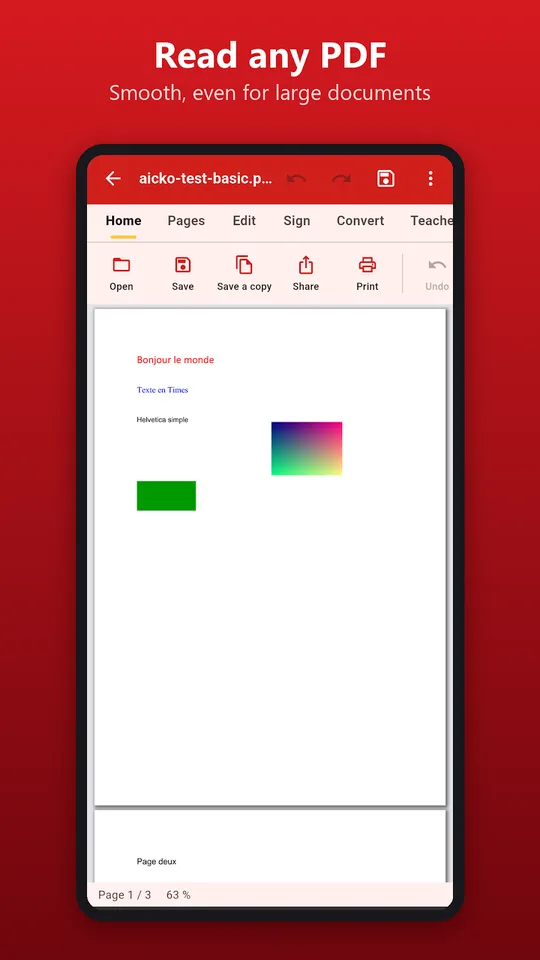
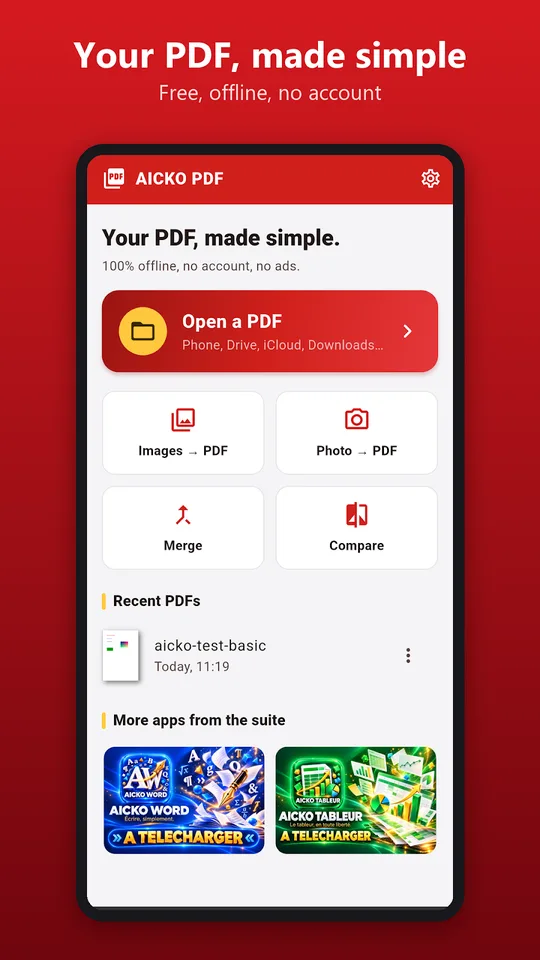
AICKO PDF is a PDF editor app for Android that lets you read, edit, sign, organize and convert PDF files on a phone or tablet. Everything runs on the device, with no account and no ads.
It was built with teachers in mind. If you print worksheets every week, it helps you fix a typo, merge several files, shrink a heavy scan or turn a page into a gap-fill sheet before it reaches the printer.
Get AICKO PDF
At a glance
- Platform : Android
- Works offline : yes
- Account and ads : none
- Main tasks : edit, sign, merge, convert, compress, OCR
- Teacher tools : gap-fill sheet, booklet, DYS version
Why a PDF editor app suits a printed-worksheet routine
Printed worksheets start as PDF files, and those files are rarely perfect. A date is wrong, two sheets should be one document, or a scan is too heavy to email. AICKO PDF solves these small jobs where you are, without a computer.
For families that teach at home, it also means one place to keep the week’s pages in order and ready to print.
A typical week might look like this: on Sunday you gather the worksheets for each level, on Monday you check them on screen, and during the week you annotate finished work and return it with comments. Because the app is offline, it works in a waiting room or on a train as well.
What the app can do
Reading and editing
- Open files from the phone, Drive, iCloud, email or WhatsApp, including password-protected PDFs.
- Smooth reading of large documents, with zoom, search, bookmarks and night mode.
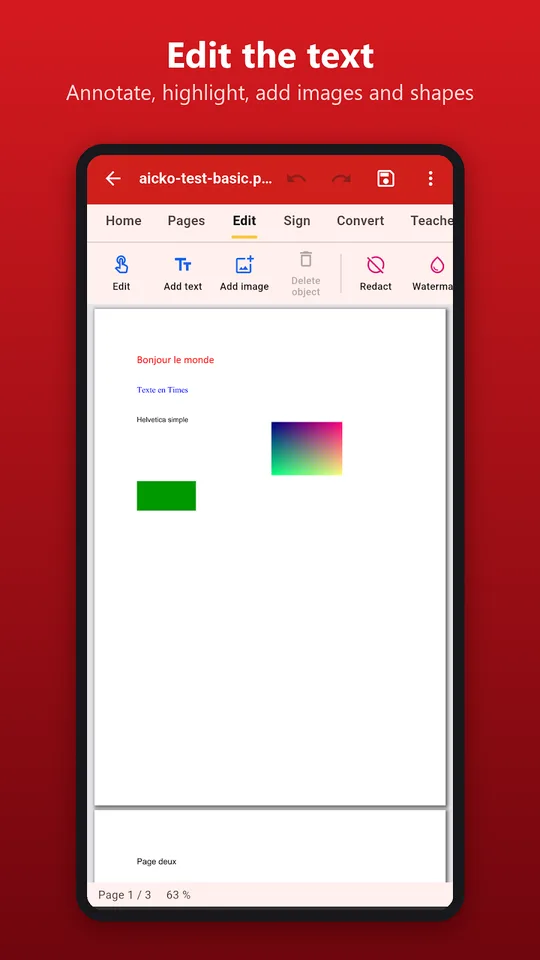
- Correct a sentence, add text, highlight, annotate, draw, and insert images and shapes.
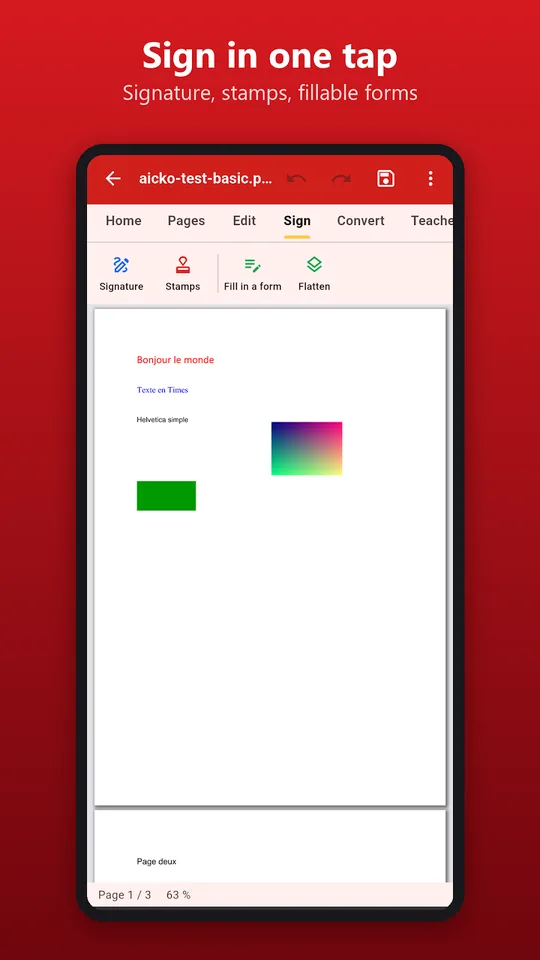
- Create a signature with your finger or an image, place it anywhere and fill in PDF forms.
Pages, conversion and size
- Reorder, rotate, delete, extract or add pages; merge several PDFs or split one.
- Convert PDF to Word, images to PDF, and pages to images while keeping the layout.
- Run text recognition (OCR) so a scanned PDF becomes searchable and selectable.
- Compress a file before sending it by email.
Tools for teachers
The app can turn a PDF into a gap-fill sheet, a booklet, or a version adapted to learners with dyslexia (DYS). That makes it easy to prepare several variants of the same worksheet from one source file.
Privacy and platforms
The app works fully offline. Documents stay on your device because processing is local. A full version for Windows also exists.
Getting started
- Install AICKO PDF from Google Play on your Android phone or tablet.
- Open a PDF from your files, from Drive or from a message.
- Use the editing tools to correct the text or add a note.
- Reorder or merge pages if you want one clean document.
- Compress the file if needed, then share it or send it to your printer.
Good practice for weekly use
Keep your original files untouched and work on a copy. Name each version clearly, for example by week and level, so that the right file is always easy to find.
Run OCR on scanned worksheets before filing them. A searchable collection saves time when you need a worksheet on one topic.
When you need more room to work, the Windows edition on our AICKO PDF page covers the same tasks on a PC. To find worksheets to edit, browse the Algebra 1 (3ème) page.
Frequently asked questions
What is the best PDF editor app for teachers on Android?
AICKO PDF edits text, signs, merges, splits, compresses and converts PDFs on Android, and adds teacher tools such as gap-fill sheets, booklets and a DYS version. It runs offline without an account or ads.
Can I sign and fill in a PDF form on my phone?
Yes. You can draw a signature with your finger or use an image, place it where you want and complete PDF forms. Everything is processed on your device, so the document does not leave your phone.
Can AICKO PDF read scanned documents?
Yes. Its text recognition (OCR) makes the text of a scanned PDF selectable and searchable. You can then compress the file to reduce its size before sending it by email.
Is AICKO PDF available on iPhone?
Not yet. The app is available for Android, and an iPhone version is still in preparation. A complete version for Windows also exists for working on a computer.
