
AICKO PDF: Free PDF Editor for Windows
AICKO PDF is a free PDF editor for Windows that lets you read, edit the text, reorder pages, merge, compress, sign and convert a PDF to Word or images, with no subscription, no account and no internet connection.
It is a free alternative to Adobe Acrobat and to online PDF converters: everything happens on your computer, so your documents are never uploaded to a server. It joins AICKO WORD and AICKO TABLE, the two other free programs of the suite.
AICKO PDF, your PDF made simple
One program to do everything with your PDFs: fix a typo, delete a page, sign a contract, shrink a file or turn a worksheet into a fill-in-the-blank handout for your class.
Download the free PDF editor
Windows installer
Direct download from Maths PDF (21 MB). Windows 10 and 11, 64-bit.
Portable version (ZIP)
No installation, no admin rights: unzip the folder on your PC or a USB stick and run AICKO PDF.exe (25 MB).
Android and iPhone
The mobile app: the link opens Google Play or the App Store depending on your phone, and shows a QR code on a computer.
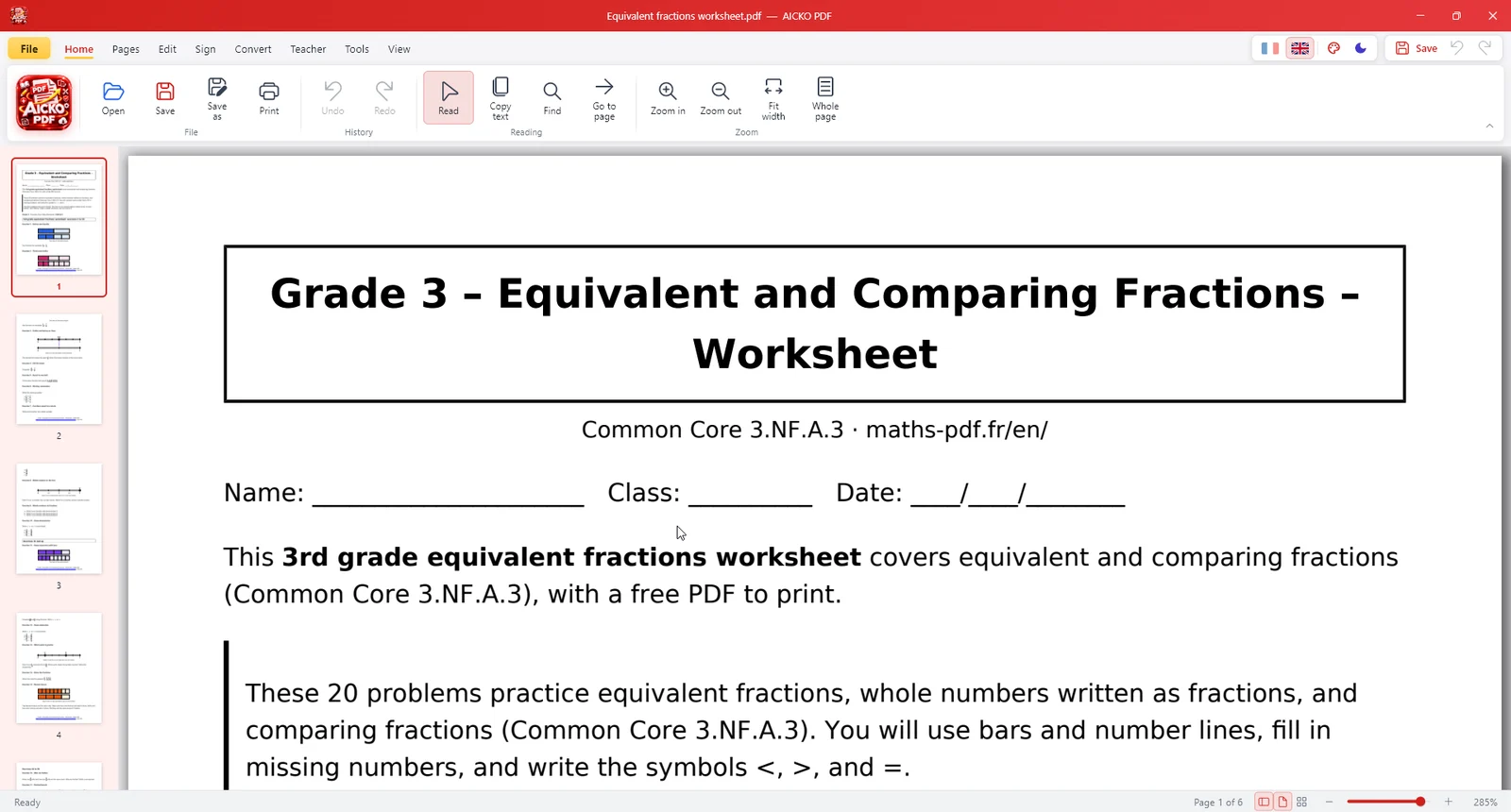
What you can do with AICKO PDF
Double-click any text: the font, size and color stay the same. Bold, italic, alignment and new text boxes.
Drag and drop thumbnails, delete, rotate, duplicate, extract or insert pages.
Combine several PDFs into one, or split a document into several files.
PDF to Word (.docx), PDF to PNG or JPG, images and photos to PDF.
Reduce the size of a PDF to email it or upload it to your school portal.
Draw your signature and add a “Paid”, “Copy” or custom stamp.
Password with AES-256, true redaction of sensitive information, watermarks and page numbers.
A scanned PDF becomes searchable and copyable, using the OCR built into Windows.
Fill in PDF forms and let the Windows voice read the document to you.
Made for teachers
The Teacher tab gathers the classroom tools: turn a page into a fill-in-the-blank worksheet, split the questions from the answer key, print as an A5 booklet or 2 or 4 pages per sheet, and create a dyslexia-friendly version that is easier to read. The Maths PDF worksheets open in it directly.
How do I edit a PDF for free?
- Download AICKO PDF and open your file (or drag it onto the window).
- In the Edit tab, double-click the text to change and type the new version.
- Adjust the font, size, bold or color with the formatting bar if needed.
- Click Save: the PDF keeps its original layout.
AICKO PDF or an online PDF website?
| AICKO PDF | Online PDF websites | |
|---|---|---|
| Price | Free, unlimited | Often limited or paid |
| Privacy | Files stay on your PC | Files uploaded to a server |
| Internet | Not needed | Required |
| Edit text | Yes, original font kept | Rarely |
| Account | None | Often required |
Frequently asked questions
Is AICKO PDF really free?
Yes, completely free: no subscription, no in-app purchase, no ads and no watermark added to your files.
Can I edit the text of a PDF with AICKO PDF?
Yes. Double-click any text to change it: AICKO PDF keeps the original font, size and color. You can also change the font, make it bold or italic, align it and add new text boxes.
How do I convert a PDF to Word for free?
Open the PDF in AICKO PDF, then choose Convert > Word (.docx). The file opens in Microsoft Word, LibreOffice or AICKO WORD.
Are my PDF files uploaded to the internet?
No. Unlike online PDF websites, AICKO PDF works 100% offline: your files never leave your computer.
Does it work without administrator rights, at school or at work?
Yes: the portable version (ZIP) runs from any folder or USB stick, with no installation.
Which computers does AICKO PDF run on?
Windows 10 and Windows 11, 64-bit. The interface is available in English and French: switch with the flags in the title bar.
Where can I send feedback?
Use the contact form of Maths PDF.
Privacy: AICKO PDF collects no data and never connects to the internet.