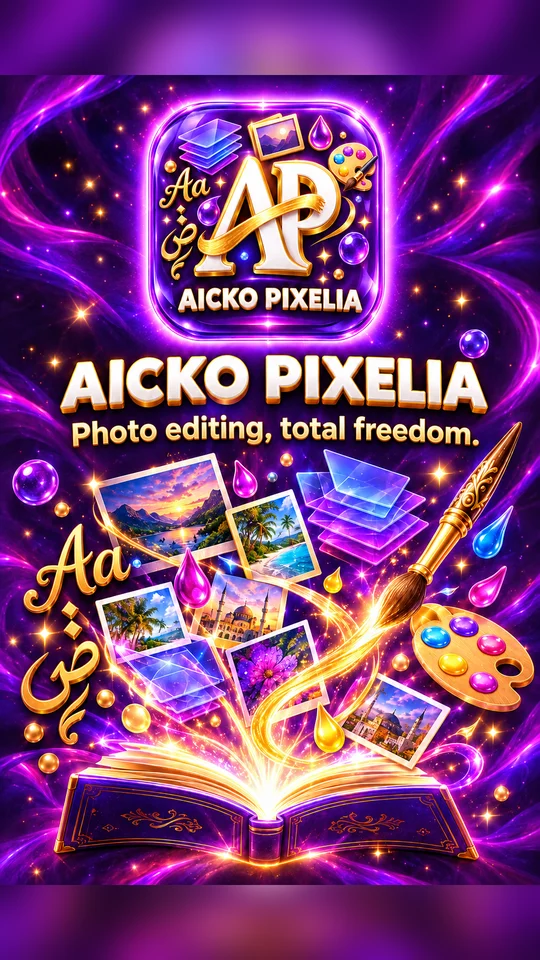
AICKO PIXELIA: a simple photo editor for Windows with calligraphy text
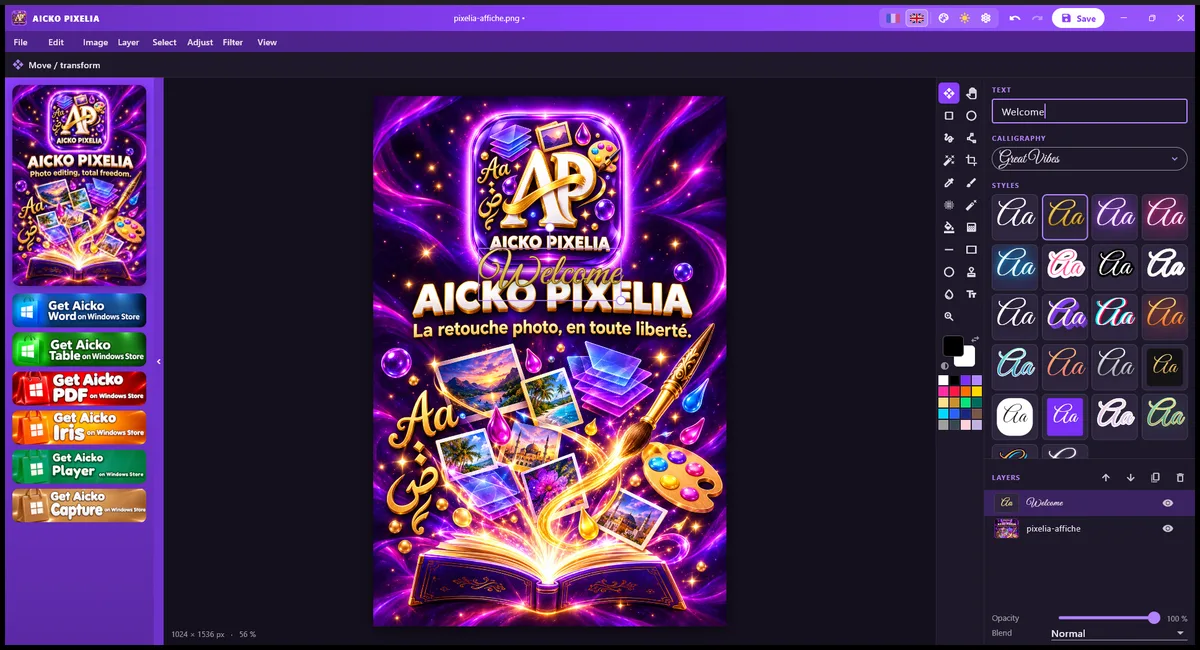
AICKO PIXELIA is a photo editor for Windows 10 and 11 that offers layers, filters, cropping, text and export to PNG or JPG. It keeps to the essentials and is free.
It is useful for teachers and families who make their own teaching material. You can prepare a cover for a worksheet pack, a label, a poster or an illustration, and add a title in a Latin or Arabic calligraphy font.
Get AICKO PIXELIA
At a glance
- Platform : Windows 10 and 11
- Price : free
- Features : layers, filters, cropping, text
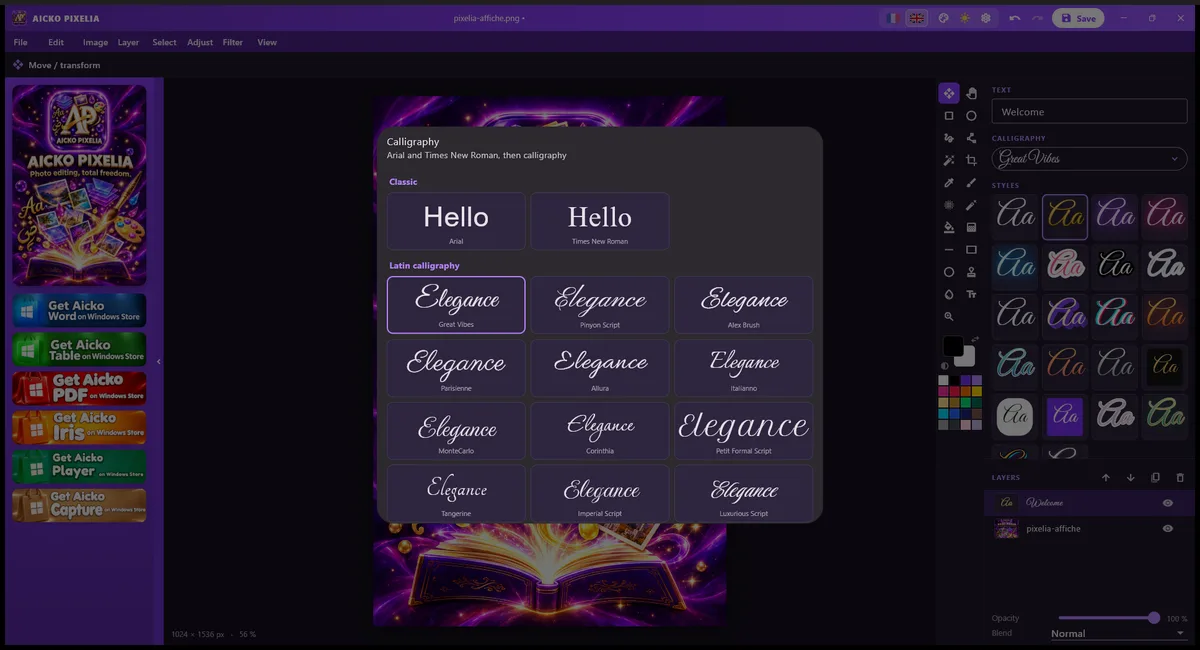
- Fonts : 18 Latin and 12 Arabic calligraphies
- Export : PNG or JPG
Why a photo editor for Windows belongs in a worksheet toolbox
Printed worksheets look better with a clear cover page and well-prepared pictures. A photo editor that does too much is slow to learn, so AICKO PIXELIA focuses on what you really use: adjust a picture, crop it, add text and export.
That fits a weekly routine. A photo taken on Sunday can become a lesson illustration in a few minutes, ready for the Monday printout.
The program also suits a family with many small projects: a birthday card, a class photo, a label for a binder, a certificate of progress. The same few tools cover them all, so you do not need to relearn anything from one job to the next. Save each project in its own folder, with the final PNG next to the source layers.
What you can do
Working with layers
- Stack several layers and set the opacity and blending of each one.
- Change the order of the layers to bring an element forward.
- Resize the document and crop the image to the area you need.
Filters and adjustments
Filters and image adjustments let you correct a photo or give it a different look. Because they work on layers, you can try an effect and remove it without damaging the original.
Text and calligraphy
- Fonts: Arial and Times New Roman, plus 18 Latin calligraphy fonts and 12 Arabic ones.
- 22 text styles, such as neon, gold, sticker, 3D and glitch.
- Titles and short captions, placed anywhere on the picture.
Export and settings
Save your result as a PNG or a JPG. The interface comes in French or English, and you can change its color in the settings.
Getting started
- Install AICKO PIXELIA from the Microsoft Store on Windows 10 or 11.
- Open a photo, or create a new document in the size you need.
- Crop the picture and apply a filter if it helps.
- Add a text layer and pick a font and a style.
- Export as PNG for sharp graphics or JPG for photos.
Good practice for printable material
Choose a document size that matches the paper before you begin. Resizing afterwards can blur the text.
Keep titles short and high in contrast. A calligraphy font is attractive for a cover, but for text that learners must read at length, a plain font such as Arial works better.
Test the contrast on paper. A bright neon style looks striking on screen, but on a printed page a darker color with a clear outline is easier to read.
Keep your layers until the project is finished and export a copy when you are ready to print. For files that follow, the AICKO PDF page explains how to assemble the printouts, and the Grade 6 (6ème) page offers worksheets to decorate.
Frequently asked questions
Is there a simple photo editor for Windows with layers?
Yes. AICKO PIXELIA is a free photo editor for Windows 10 and 11 with layers, opacity and blending, filters, image adjustments, cropping, document resizing, text and PNG or JPG export.
Does AICKO PIXELIA have calligraphy fonts?
Yes. Besides Arial and Times New Roman, it includes 18 Latin calligraphy fonts and 12 Arabic ones, as well as 22 text styles such as neon, gold, sticker, 3D and glitch.
Can I use AICKO PIXELIA to make a worksheet cover?
Yes. You can set a document size, add a picture, write a title with a calligraphy font and export it as PNG or JPG. You can then insert the image into your worksheet in a word processor.
Which languages does AICKO PIXELIA support?
The interface is available in French and English, and you can change the color of the software in the settings. It is installed from the Microsoft Store on Windows 10 and 11.
