
AICKO IPTV: a free IPTV player for Windows with guide and replay
AICKO IPTV is an IPTV player for Windows 10 and 11 that plays the playlists you provide, in M3U or Xtream Codes format. It is a free player: it hosts, supplies and sells no content.
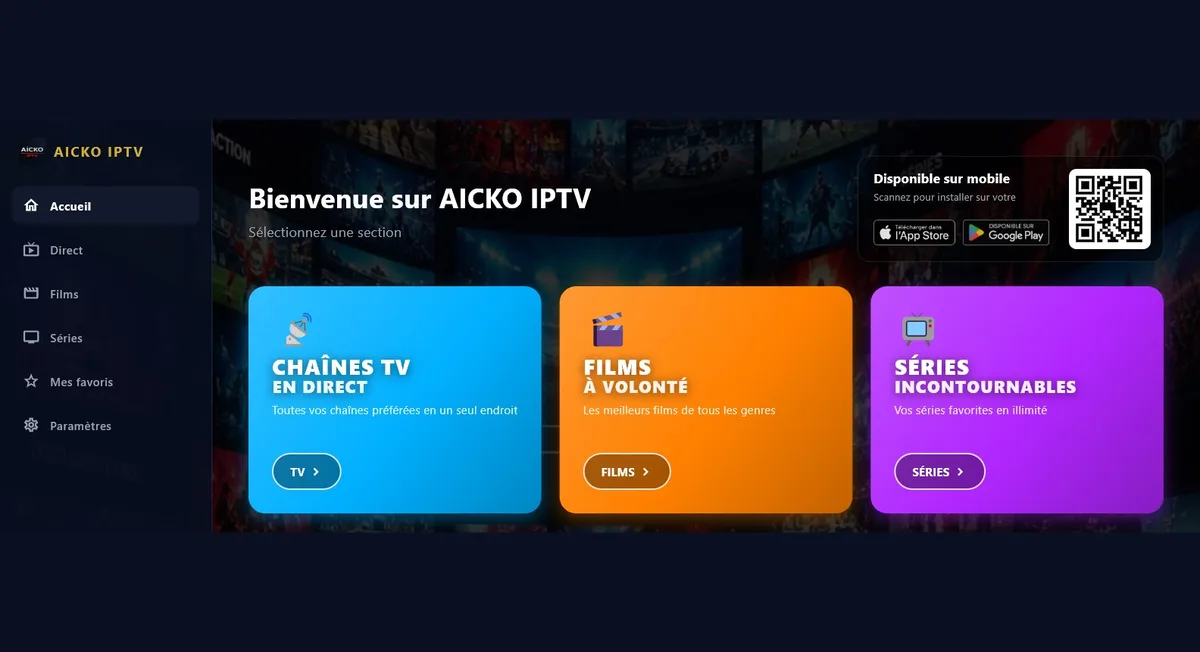
You enter the address of your own list, obtained from your own provider. After that, the software shows live television with a program guide, films and series, and radio, on a computer screen.

Get AICKO IPTV
At a glance
- Platform : Windows 10 and 11
- Price : free
- Playlists : M3U and Xtream Codes (your own)
- Features : live TV with guide, films, series, radio
- Interface : six languages
Why an IPTV player for Windows helps a household
After the worksheets are done, the family computer is often the screen in use. A player that does one job clearly is easier to supervise than a browser full of bookmarks.
The software also helps those who use Arabic as their daily language. The interface can be displayed from right to left, which makes menus natural to read for Arabic speakers, and five other languages are available.
AICKO IPTV works as a player in the same way as other media players. It does not provide any channel, and you remain responsible for the playlist you use.
What the player offers
Live television, films and series
- Live television with the program guide (EPG) and access to replay.
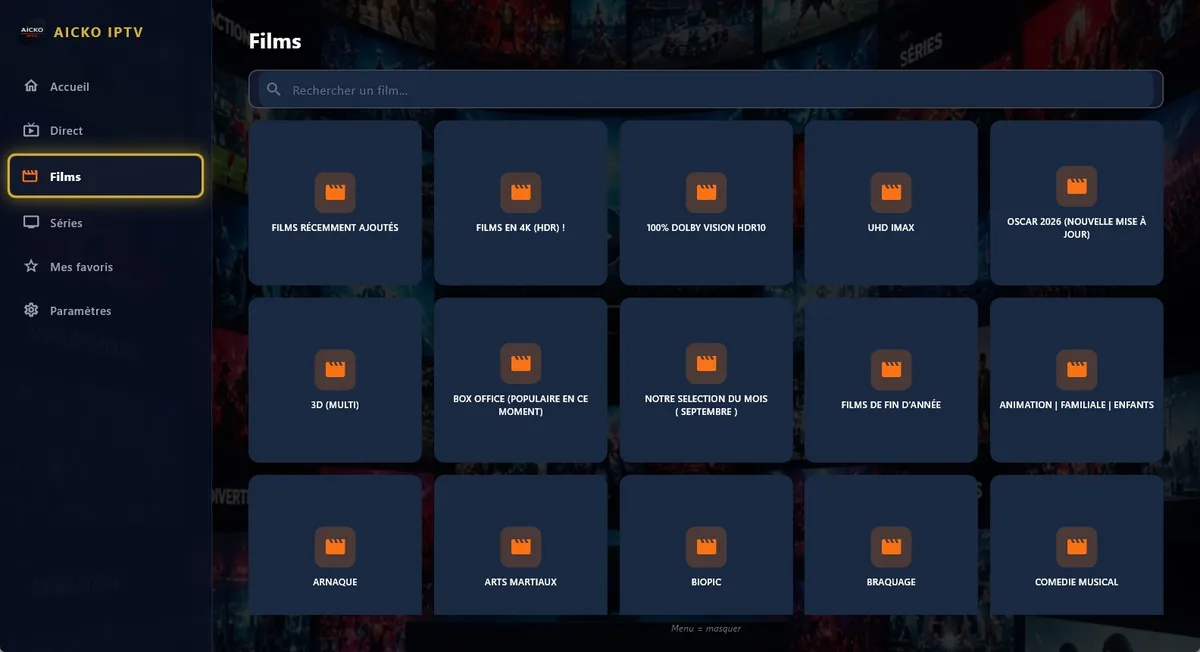
- Films and series sorted by category, resuming exactly where you stopped.
- Search in every section, and categories you can hide.
Radio and audio
The player also reads streams without a picture, including MP3 files and online radio stations. This is useful for background listening while you prepare materials.
Favorites, sync and languages
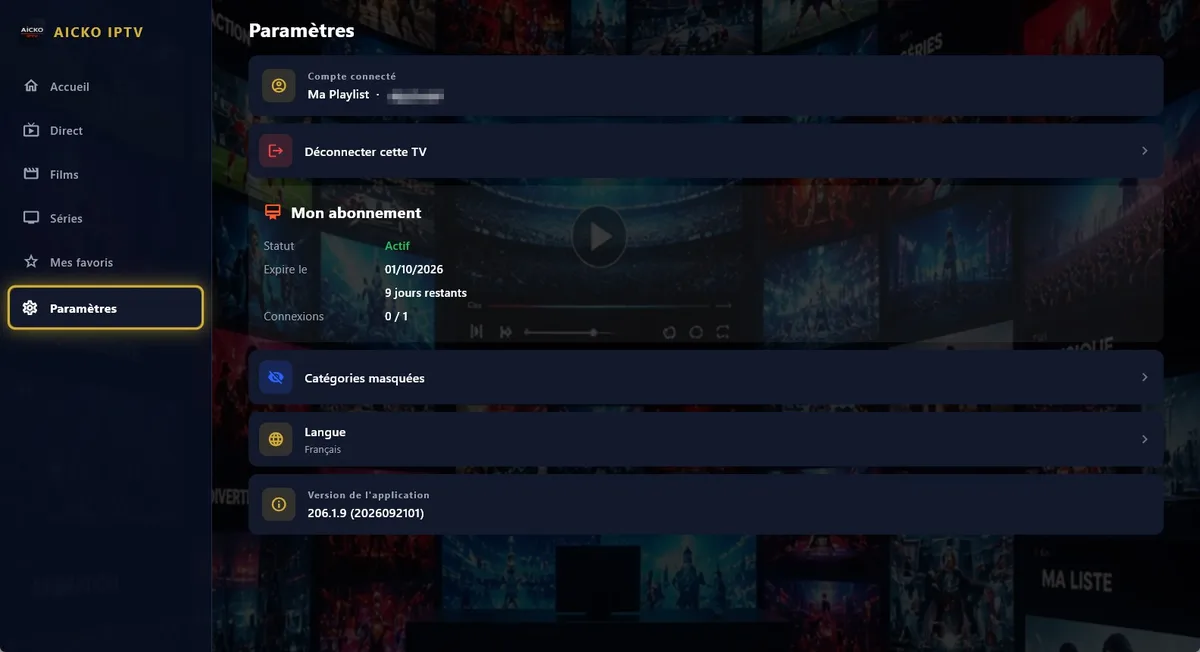
- Favorites and progress are synced between your devices with an account.
- Six interface languages: French, English, Arabic (right to left), German, Spanish and Italian.
Playback engine
The software relies on libmpv, the engine of the mpv player, known for reading a very wide range of formats and streams. The same app family exists on other devices, so your favorites follow you.
Getting started
- Install AICKO IPTV from the Microsoft Store on Windows 10 or 11.
- Choose your language, including Arabic if you prefer it.
- Enter your M3U address or your Xtream codes.
- Hide the categories you do not use, then search for a channel or a film.
- Add favorites, and resume a film later from the same point.
Good practice at home or in a club
Check that your playlist is legal where you live and that your provider allows its use. The software cannot verify this for you.
Use the search box in each section instead of scrolling through long lists. With a few favorites and hidden categories, the home screen stays short and quick to read, even when a playlist holds thousands of entries.
Remember that favorites and progress travel with your account, so a film started on one device can be finished on another.
Set watching times with children, for example after the day’s worksheets. A short favorites list limits endless browsing.
Take care of the connection too. A stable network gives a steadier picture, and your provider can help if channels stop. Close the player when it is not in use, so that the computer is free for the next worksheet.
For reading documents on the same computer, see the AICKO PDF page, and for practice material the Grade 6 (6ème) page.
Frequently asked questions
What is an IPTV player for Windows?
It is software that plays a playlist you supply, in M3U or Xtream Codes format. AICKO IPTV does this for Windows 10 and 11, with live television, a program guide, films, series and radio. It provides no content.
Does AICKO IPTV include any channels?
No. AICKO IPTV hosts, supplies and sells no content. You enter the address of a playlist obtained from your own provider, and the player simply reads it.
Can AICKO IPTV play radio and MP3 files?
Yes. The playback engine also reads streams without a picture, such as MP3 files and online radio stations, in addition to live television, films and series.
Which languages does AICKO IPTV offer?
The interface is available in six languages: French, English, Arabic (displayed right to left), German, Spanish and Italian. Favorites and progress can be synced between your devices.
