AICKO WORD: a word processor app for your worksheets on Android
AICKO WORD is a word processor app for Android that lets you write, format and share documents on a phone or tablet. It opens and saves .docx files, exports to PDF and includes a built-in equation editor.
It has no account and no ads and works entirely offline. For teachers and families who prepare worksheets, it means a lesson sheet can be written or corrected anywhere, with fractions and powers typed properly.

Get AICKO WORD
At a glance
- Platform : Android
- File format : .docx, plus PDF export
- Equation editor : included
- Works offline : yes
- Account and ads : none
Why a word processor app helps with weekly worksheets
Worksheets change every week: a new topic, a new level, a new date. With AICKO WORD you can open last week’s document, adjust it and have a printable page in a few minutes, even away from your desk.
The built-in equation editor matters most for math. Fractions, roots, powers, subscripts, integrals and matrices are available, which makes a mathematical worksheet look like a textbook page instead of a typed approximation.
Teachers also value the quick conversion between formats. A parent can send a draft as .docx for comments, and you can return a PDF that looks the same on every screen. Nobody needs to install anything to read it.
The templates save a lot of time at the start of a term. A worksheet, an assessment and a course page each have a clean layout, so you only replace the content.
Main features
Writing and formatting
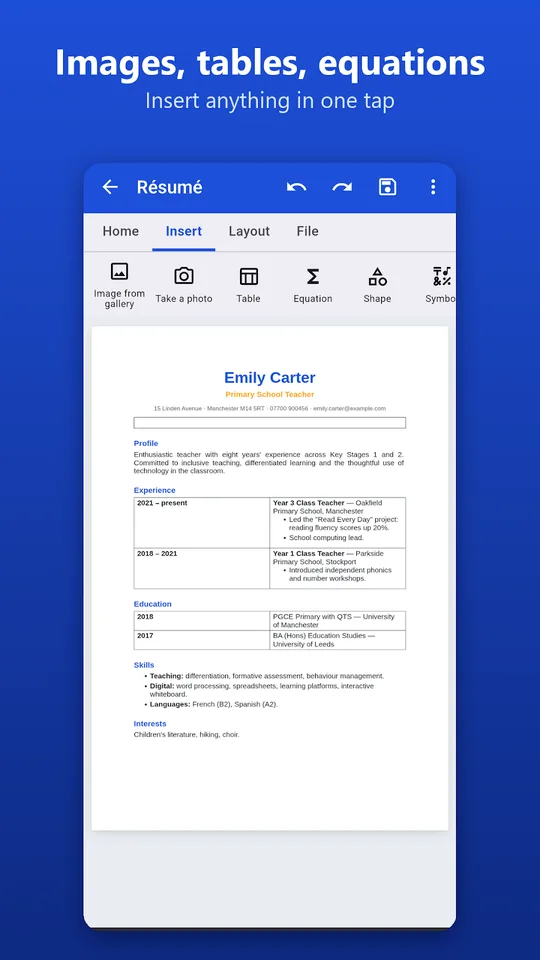
- A ribbon with Home, Insert, Page layout and File tabs, like a desktop program.
- Bold, italic, underline, strikethrough, superscript, subscript, fonts, sizes, colors and highlighting.
- Heading styles, lists, alignment, indents and line spacing.
- Photos from the gallery or the camera, tables, shapes, symbols, links, lines and page breaks.
Files, templates and printing
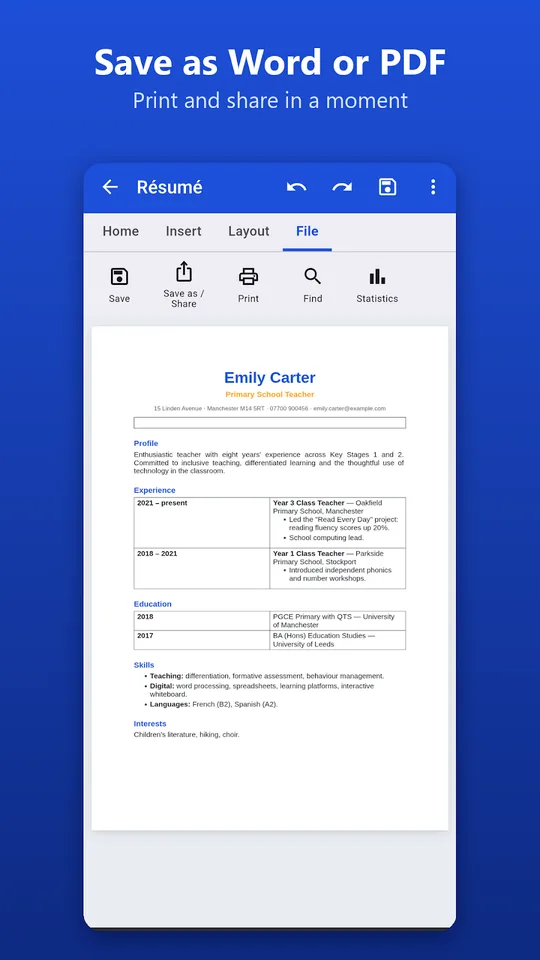
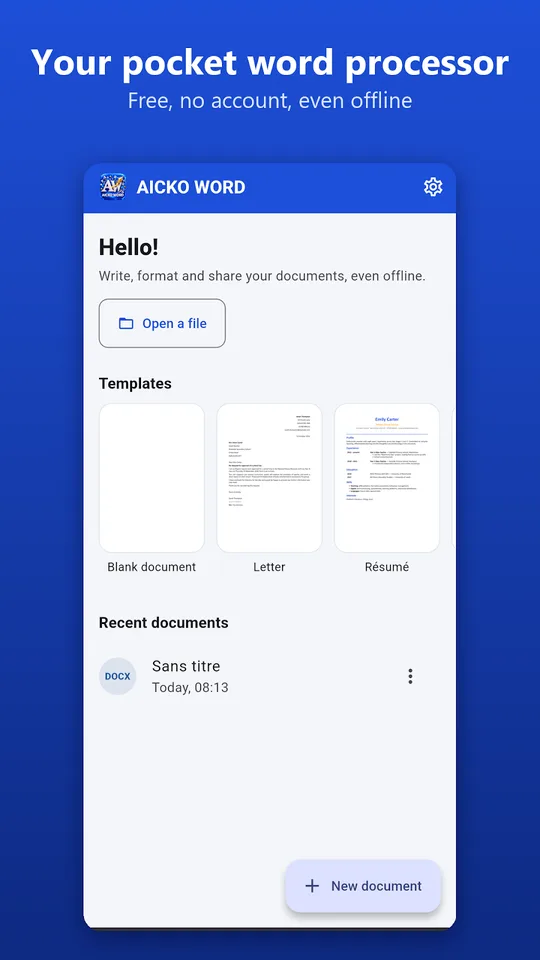
Open Word documents received by email, edit them and save them as .docx. You can also export to PDF, plain text or a web page and share in one gesture. Ready-to-fill templates include a letter, a CV, a course, an exercise sheet, an assessment, an invoice and a report.
For printing, choose A4, A5, A3 or US Letter, portrait or landscape, margins and page numbers. Search and replace, document statistics and direct printing are included.
Comfort and privacy
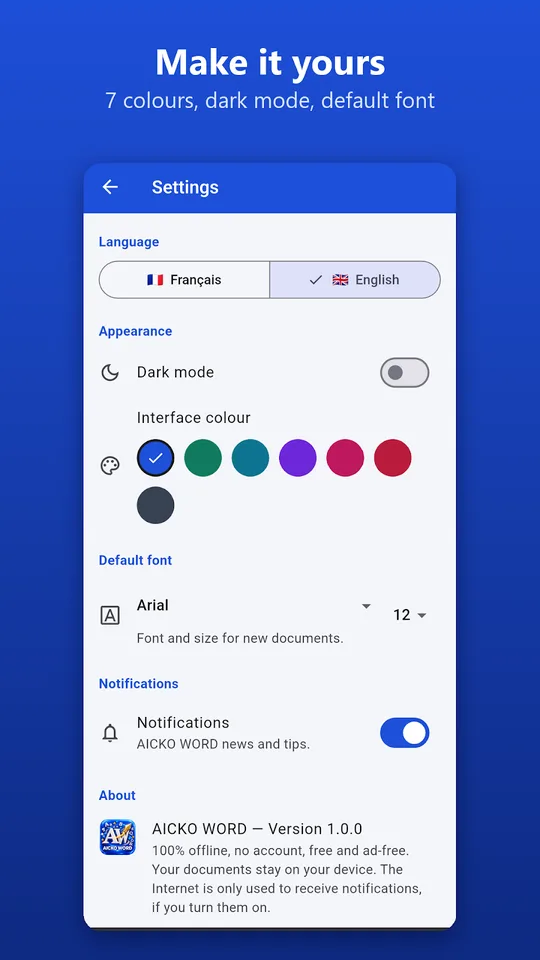
You can pick one of seven interface colors, use dark mode and set a default font and size. The interface is available in French or English. Your files stay on your device and nothing needs an internet connection. A full version for Windows also exists.
Getting started
- Install AICKO WORD from Google Play on your Android phone or tablet.
- Open a template, such as the exercise sheet, or start a blank page.
- Type your text and format it from the Home tab.
- Add equations, tables or images from the Insert tab.
- Choose the paper size in Page layout, then print or export to PDF.
Good habits for a weekly routine
Create one template for your own worksheets, with your header and page size, and copy it each week. Consistent layout helps learners find their way on the page.
Save the .docx for editing and export a PDF for printing. The PDF keeps the layout exactly the same on any printer.
For a bigger screen, see the Windows edition on our AICKO WORD page. Ready-made worksheets to adapt are on the Grade 8 (4ème) page.
Frequently asked questions
Is there a word processor app for Android that opens .docx files?
Yes. AICKO WORD opens Word documents received by email, lets you edit them and saves them in .docx format. It also exports to PDF, plain text or a web page, and works offline without an account.
Can I write math equations in AICKO WORD on my phone?
Yes. The built-in equation editor supports fractions, roots, powers, subscripts, integrals and matrices. It is intended for teachers, students and anyone who needs to write mathematics in a document.
Does AICKO WORD include templates?
Yes. It offers ready-to-fill templates for a letter, a CV, a course, an exercise sheet, an assessment, an invoice and a report, so you can start from a clean layout instead of a blank page.
Is AICKO WORD available on iPhone?
Not yet. The app is available for Android, and an iPhone version is still in preparation. The same word processor exists as a complete version for Windows, and the interface comes in French or English.
