
AICKO WORD: a free word processor for Windows worksheets and lessons
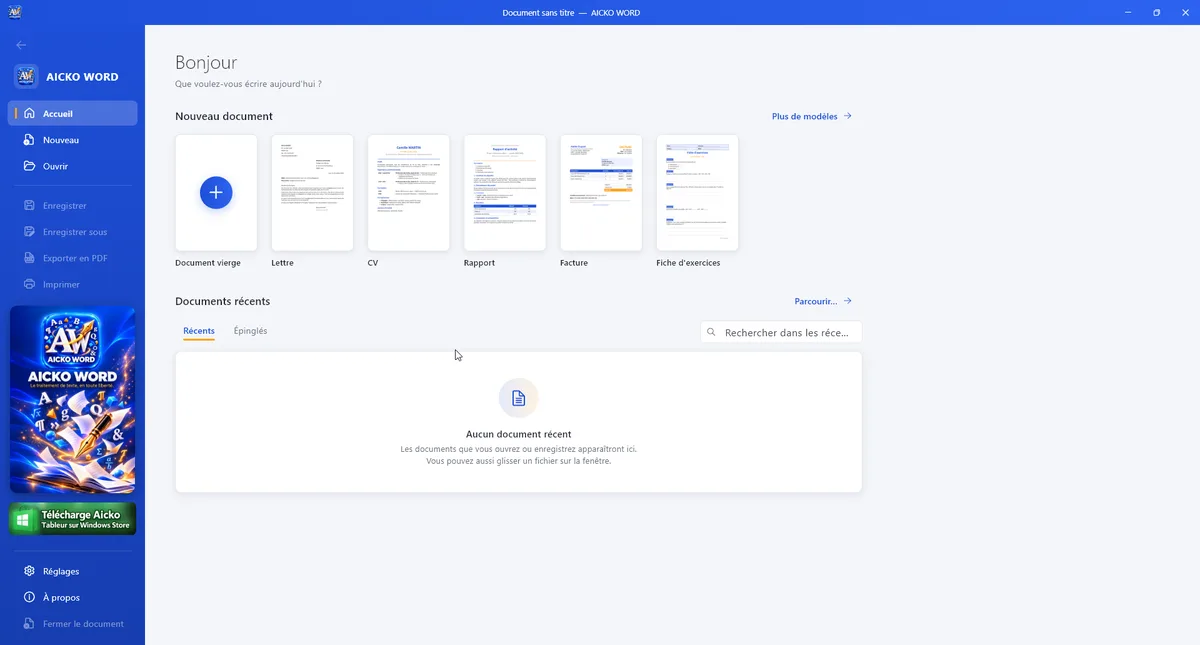
AICKO WORD is a free word processor for Windows 10 and 11 that opens and saves Word files, edits PDFs and includes an equation editor. It needs no account, shows no ads and works entirely offline.
It is aimed at teachers, students and writers who want a clear ribbon and no complicated options. If you prepare printed worksheets every week, it gives you a quick way to write, correct and export them.

Get AICKO WORD
At a glance
- Platform : Windows 10 and 11
- Price : free
- Formats : .docx, .doc, ODT, RTF, text, PDF
- Equation editor : included
- Account and ads : none
Why a free word processor suits weekly worksheet preparation
A worksheet routine needs a tool that opens fast, handles formulas and prints cleanly. It does not need macros, mail merge or tracked changes. AICKO WORD keeps only what an ordinary teacher or writer uses, so there is less to learn and less to get lost in.
Homeschooling families benefit in the same way. Nothing has to be installed on a cloud account, and the documents stay on the computer.
A typical use is a monthly pack of lesson sheets. You open last month’s file, change the topic and the dates, add a few equations and export a clean PDF. The same document can also be saved as .docx and sent to a colleague who uses another word processor, with the layout intact.
Features in detail
Files and formats
- Open and save Word files (.docx and .doc), OpenDocument (.odt), RTF and plain text.
- Open PDFs to edit them, and export to PDF.
- The .docx format is offered by default, so the file can be read anywhere.
Writing tools
- A ribbon with Home, Insert, Page layout, Review and View tabs.
- Fonts, sizes, colors, highlighting, heading styles, lists, alignment, indents, line spacing, borders and shading.
- An equation editor with fractions, roots, powers, integrals and matrices.
- Images, tables with merged cells, shapes, decorative text, symbols, links, page breaks, headers, footers and page numbers.
- Spell checker, find and replace, statistics, zoom, ruler and reading mode.
Templates and comfort
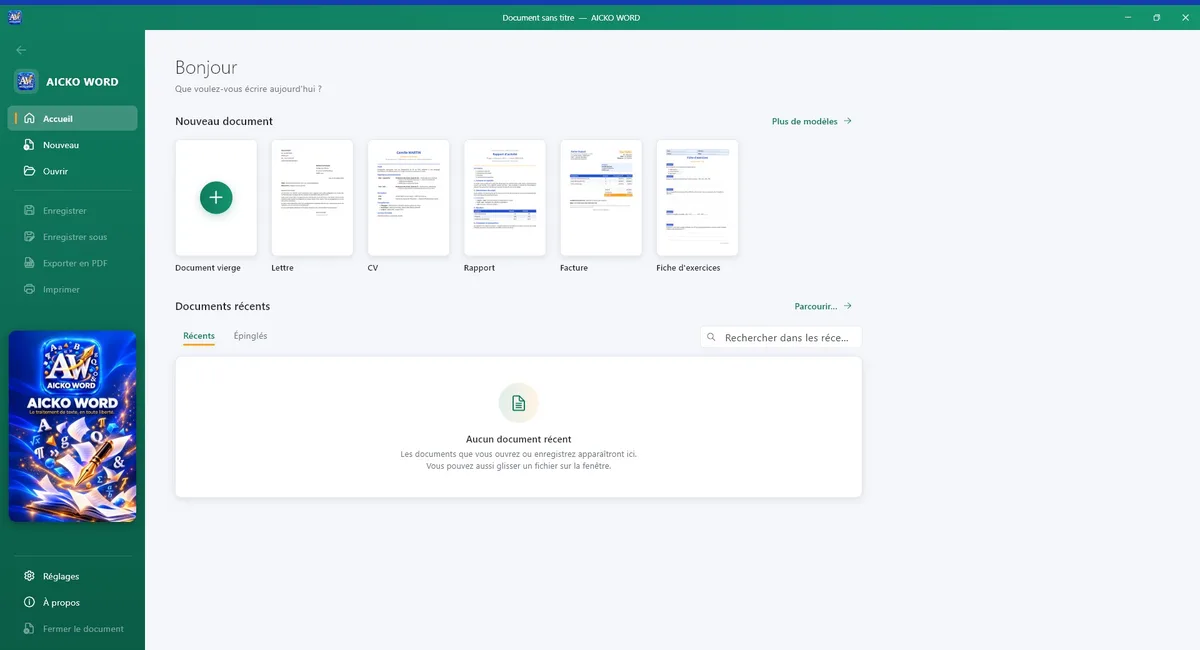
Ready-to-fill templates include a letter, a CV, a report, an invoice, an exercise sheet, a course and an assessment. The interface comes in French or English, with a dark mode and seven colors.
Getting started in five steps
- Install AICKO WORD from the Microsoft Store on a PC running Windows 10 or 11.
- Open a template, for example the exercise sheet, or start with a blank page.
- Type your text and format it from the Home tab.
- Insert equations, tables and images from the Insert tab.
- Save as .docx for editing and export a PDF for printing.
Good practice for a weekly routine
Build one master document with your header, fonts and margins, and reuse it every week. Learners then see the same layout each time.
Check the page preview before printing, particularly for worksheets with equations, so that no problem is cut across two pages.
Use heading styles for the title of each section instead of changing the size by hand. The document then stays consistent, and a later change to the style updates every title at once.
The software needs no internet connection, so it works in a classroom with poor Wi-Fi. For the phone edition, see the Android app on the AICKO WORD page. For worksheets to adapt, browse the Grade 8 (4ème) page.
Frequently asked questions
Is there a free word processor for Windows that opens .docx files?
Yes. AICKO WORD is a free word processor for Windows 10 and 11. It opens and saves .docx, .doc, ODT, RTF and text files, exports to PDF and works offline without an account or ads.
Can AICKO WORD write math equations?
Yes. It has a built-in equation editor for fractions, roots, powers, integrals and matrices. This helps teachers and students who need to prepare mathematics worksheets without using a separate program.
Can I edit a PDF in AICKO WORD?
You can open a PDF in AICKO WORD to edit it and export documents to PDF. Complex scanned PDFs are better handled by a dedicated PDF editor, such as AICKO PDF for Windows.
Does AICKO WORD need an internet connection?
No. It works entirely offline, with no account, so your documents stay on your computer. It is available from the Microsoft Store for Windows 10 and 11, and the interface is in French or English.
